
Spintrack
Spintrack is a small arcade-style game where the player controls the direction a knob spins along a set of tracks. There are many layers of tracks, each of which can also be spinning. The player must flip directions and switch layers to avoid running into bomb segments. Other segments, portions of the track, can be activated and give bonuses. These bonuses can be positive or negative and can give benefits such as more points, new abilities, or flip directions the track is spinning.
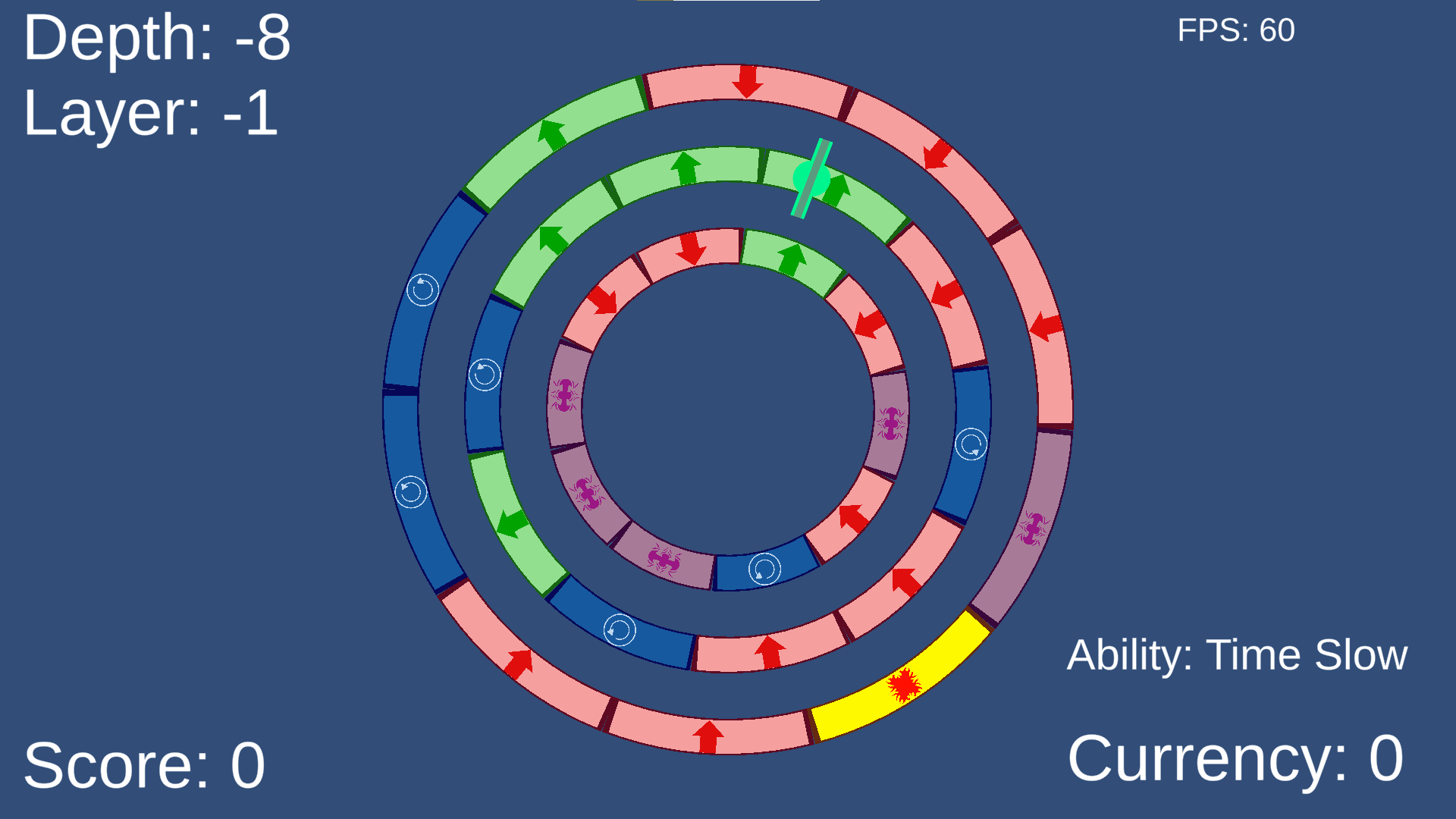
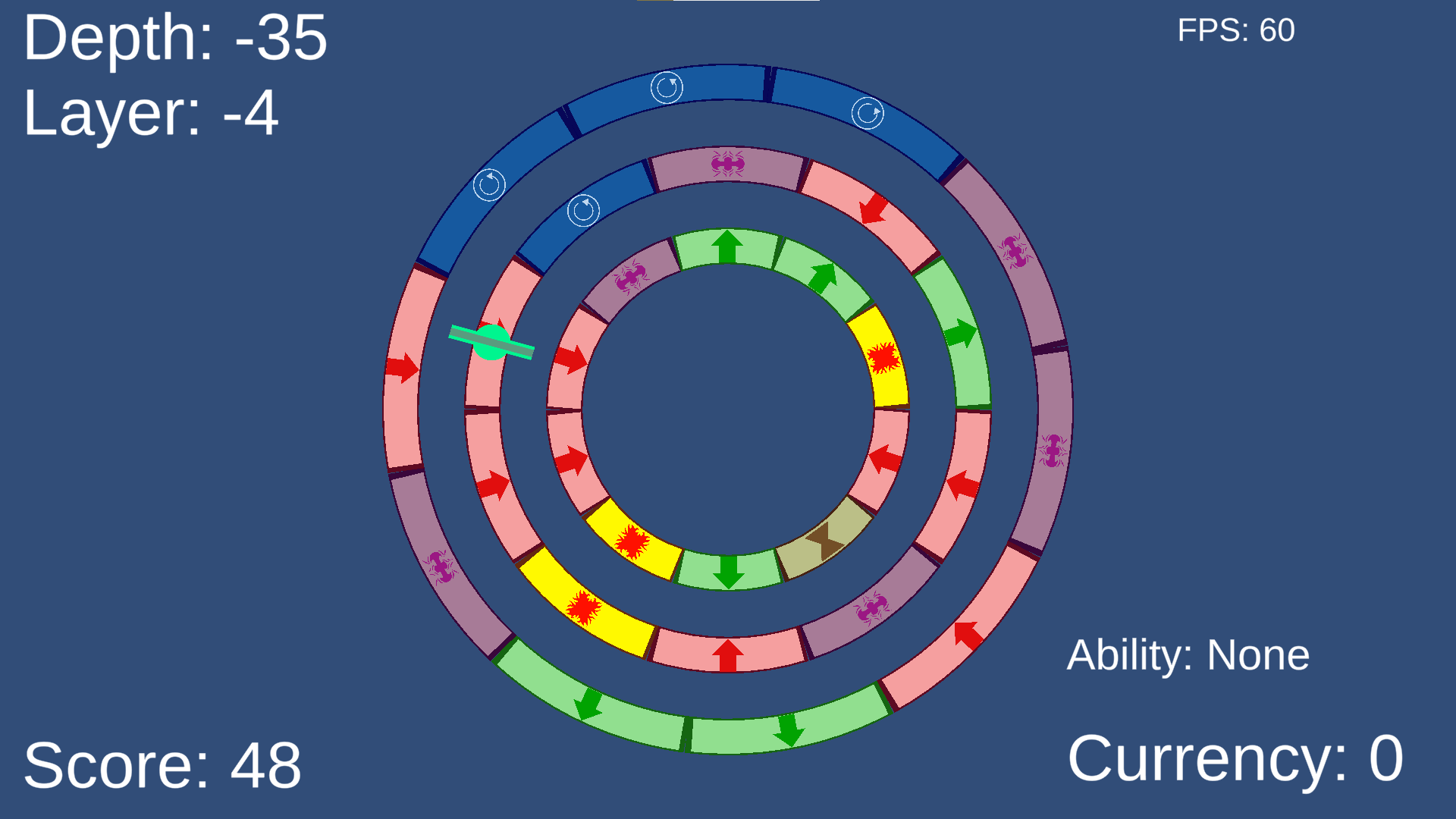
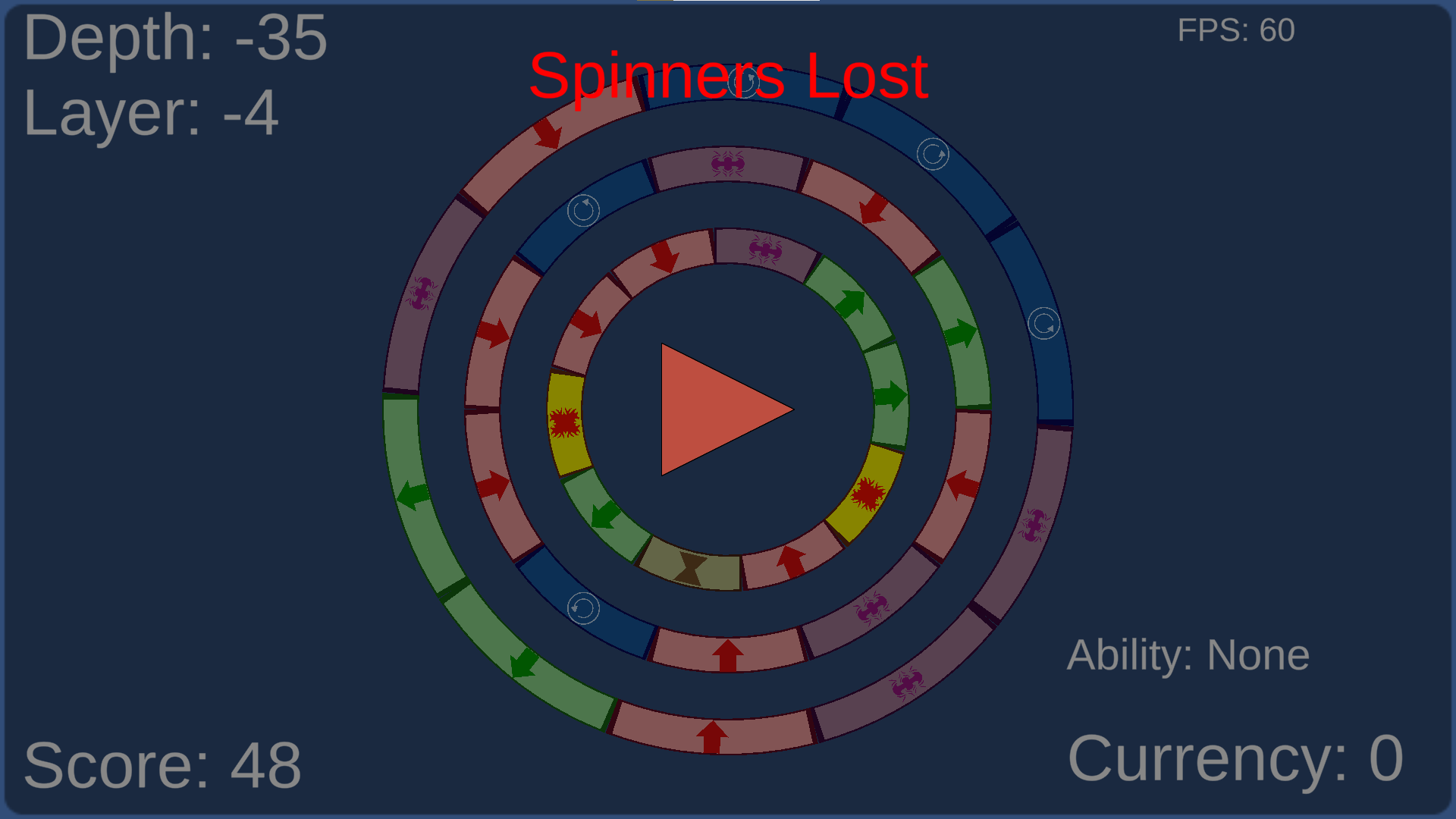
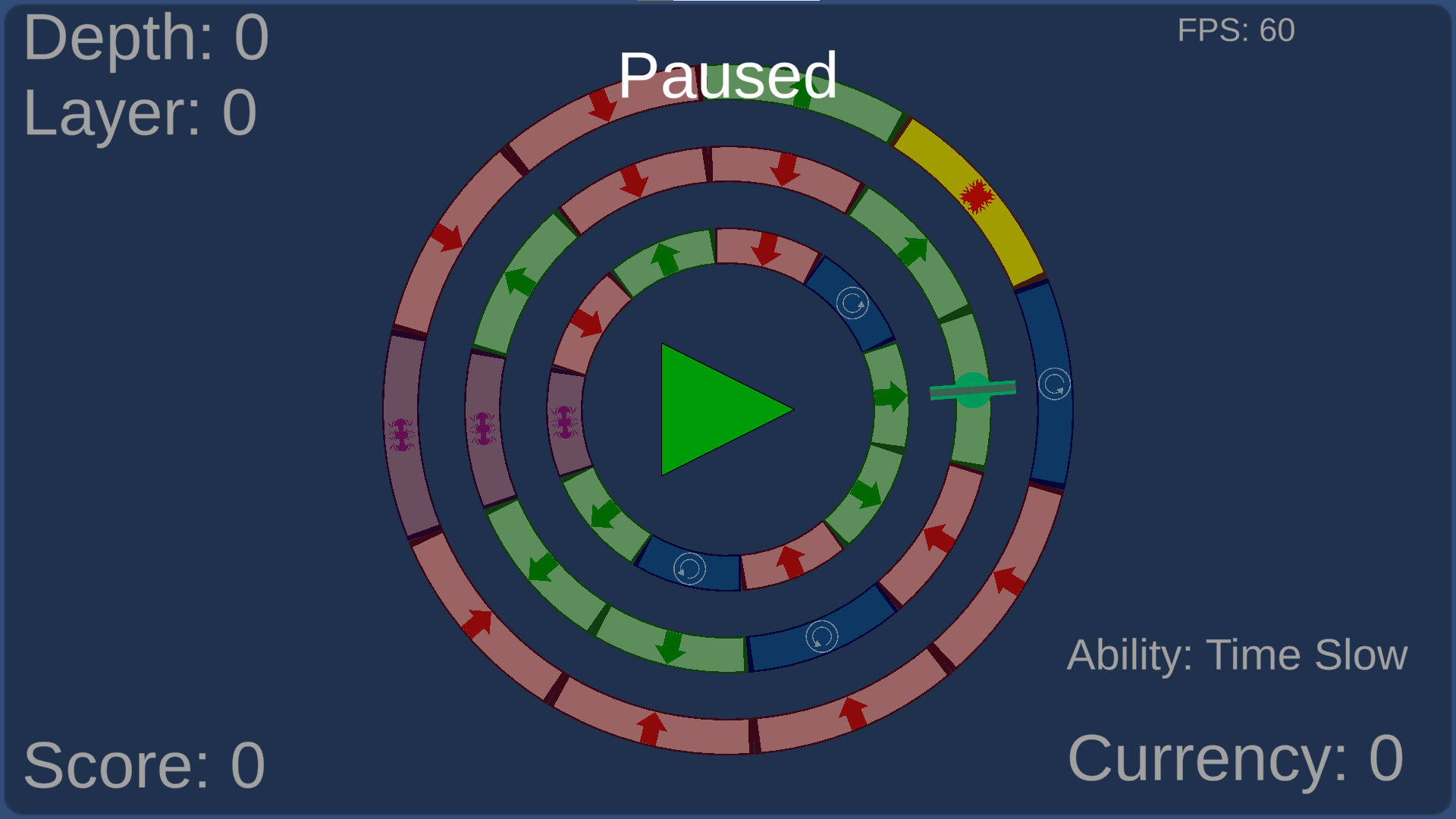
The core of ths game revolves around the segments on the track. Each segment has a different functionality, so the player needs to pay attention to which segment the spinner is currently on. Additionally, some of the segments are triggered by the player's spinner moving over them (without the player activating it via spacebar).
For example, if the spinner moves over the yellow/red segments, it is instantly destroyed and the player loses the game if they have no more spinners. Moving over the blue segments causes that loop to start spinning clockwise or counterclockwise. Activating the green segments gives the player points.
Each segment was created as a ScriptableObject and stored for later use. This allows for the exploitation of modular design. Additionally, the chance of each event spawning as a segment is given a weighted value which can be increased in the upgrades.

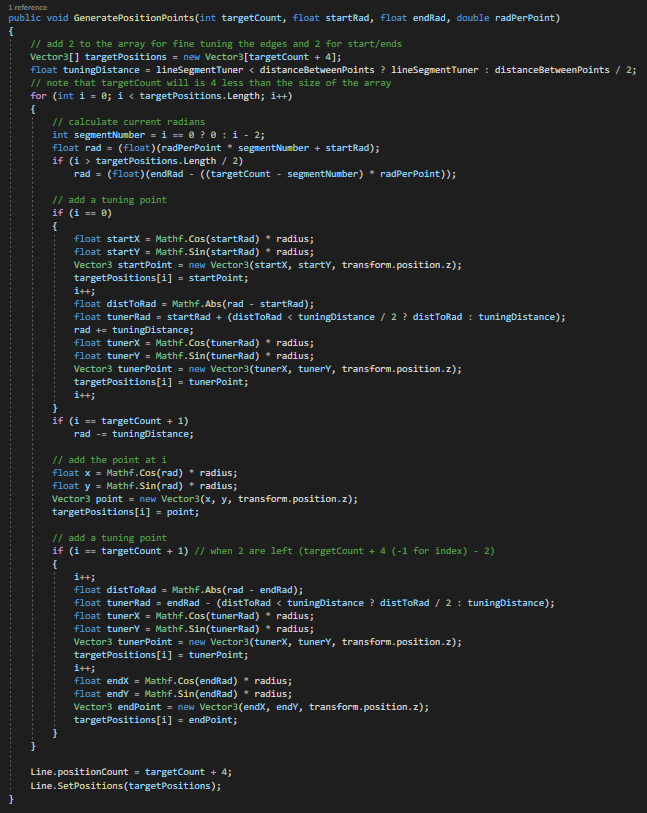
Each rendered segment derives from the LoopTrack class which draws a portion of a circle. LoopTrack utilize's Unity's LineRenderer to draw these segments. The code snippit to the right is used to calculate the positions needed in a segment in order to draw the line smoothly to generate a portion of a circle. Given start and end radians, the number of points desired, and the calculated radians per points, this function determines where the points of the line renderer should be located.
A challenge when dealing with Unity's LineRender is that the LineRender does not render based on a GameObject's Transform... it draws based on global coordinates. Therefore, it becomes necessary to recalculate these points each time the rotation, scale, or position of the segment is changed. So, whenever the LoopTrack's properties are modified, a flag is marked to recalculate the rendering points in the next frame update.
Because there are multiple layers of tracks, I had to design the segments and tracks in an extremely modular way. Segments define behaviors, tracks are made of segments, and the map is made of multiple layers of tracks. To manage these layers of tracks, I needed TrackManager script to control the radius of the circles defining the tracks.
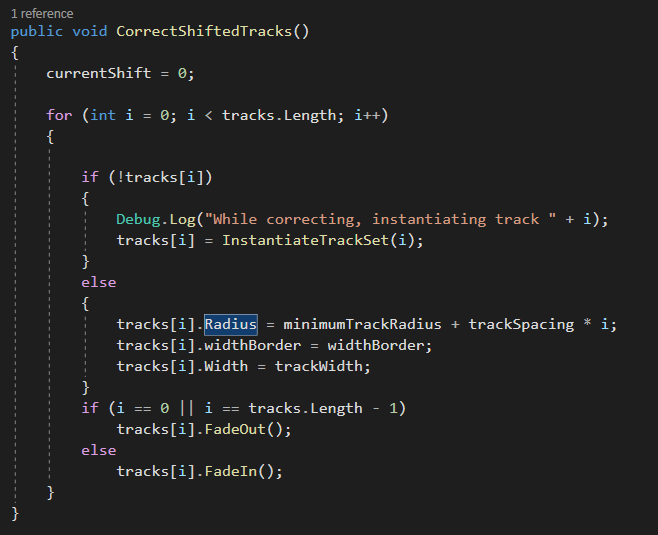
The function to the right is used when updating the radius. It loops through the current tracks and verifies that the radii are correct for their layer. Additionally, out of the 5 tracks stored in the manager, only the middle 3 are visible. So, the outermost and innermost tracks are designated to fade in or out.
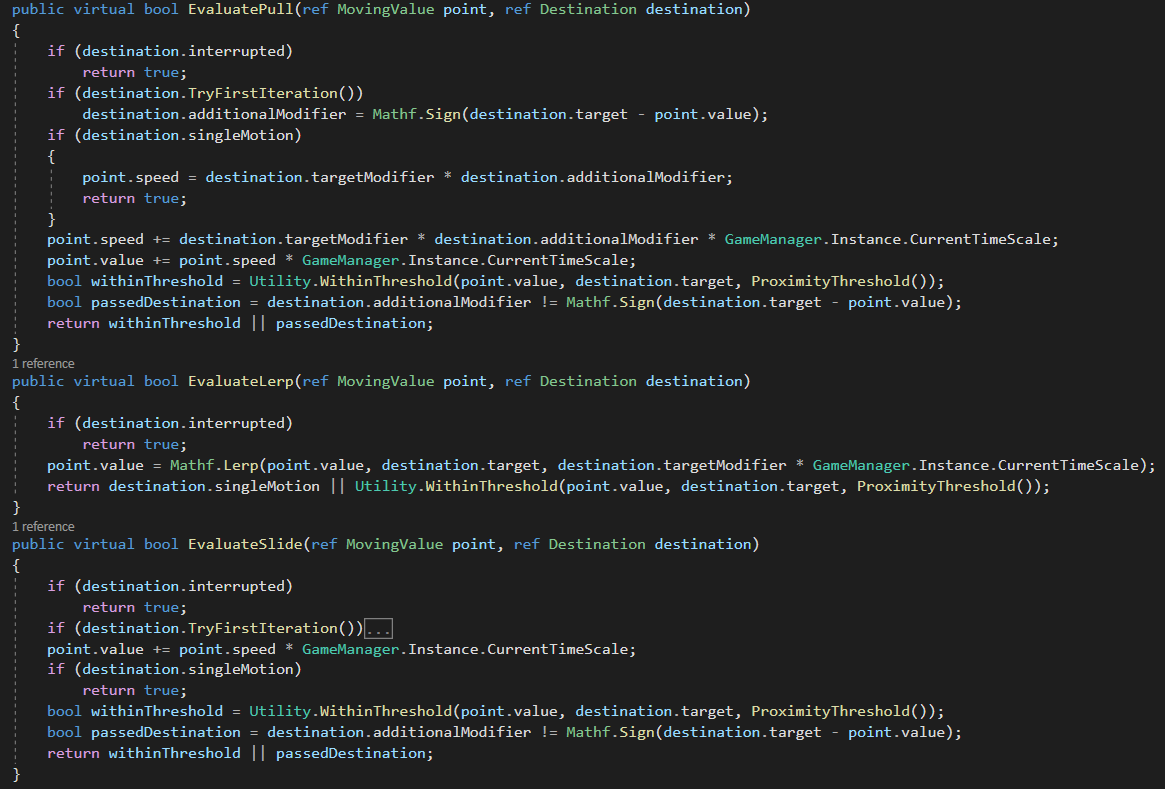
In order to accomodate for all of the various motion patterns used in this game, I created an Oscillator class. This class acts as utility but is used for motion such as the rings growing/shrinking, the spinner swapping between tracks, and the spinner pulsing to grow/shrink.
The Oscillator class has many different functions with which it can manipulate a given value (a struct containing two floats for both value and velocity). In the image shown, there are the functions for being pulled to a destination, interpolating towards a destination, and sliding towards a destination.
One other evaluation, toss, is used to model movement that follows a parabola pattern (like the height of a ball when tossing it into the air). This specific function is used on the spinner whenever it triggers a segment, causing it to grow and then shrink.
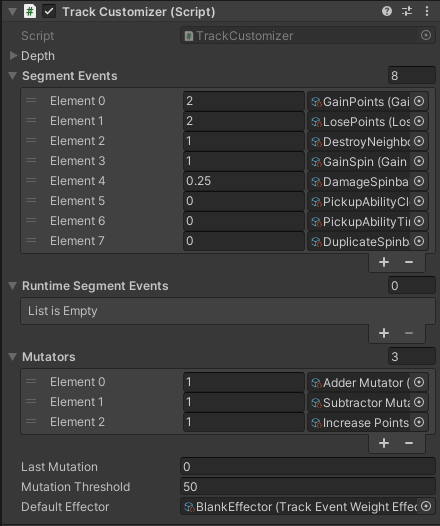
In reference to the segments, I created a TrackCustomizer script to add variability to track events during play. As mentioned earlier, different track events are given weights for spawn chance. As seen under the Segment Events dropdown in the image, those weights are assigned in the inspector.
As the game proceeds, the weights are modified based on mutators applied to the segment events in runtime. As of now, there are only three mutators: decrease weight, increase weight, and increase points. The increase points mutator can only apply to one of the segments, but this allowed me to create a system for adding mutators that apply to specific segments. This opens potential for future mutators to things such as the destruction segments possibly destroying more than just the adjacent segments.
Notably, I had to make a custom editor for the pair property drawer presented in the list so that I could modify the values easily while testing.
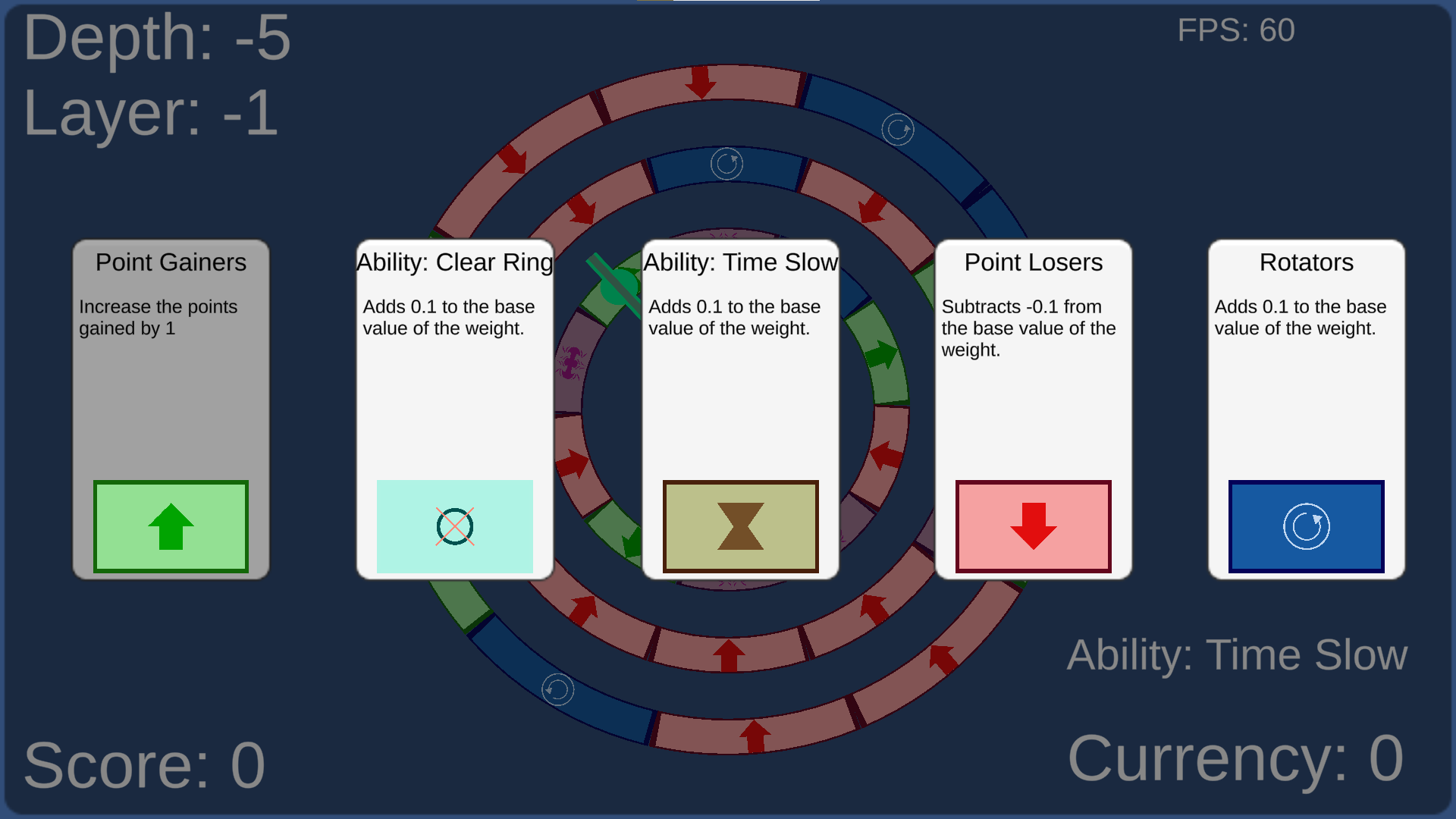
As the player moves the spinner to lower depths, they have the opportunity to select mutations to apply to the track. These mutations are randomly generated from the mutators and options available, allowing for many combinations of choices.
Additionally, some segments start with a weight of 0. The mutators allow the player to 'unlock' these segments by selecting the mutators presented. Until the player selects the Clear Ring ability for the first time, they do not have access to the segment that gives them that ability.